


Patricia Seath
Members
-
Joined
-
Last visited
Everything posted by Patricia Seath
-
Having problems locking and unlocking drivers side door with electronic key but other door and boot works ok would this be covered with warranty I got when I bought my car second hand
-
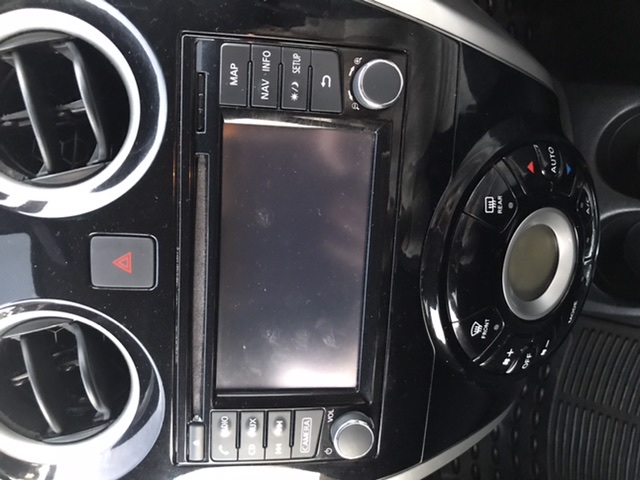
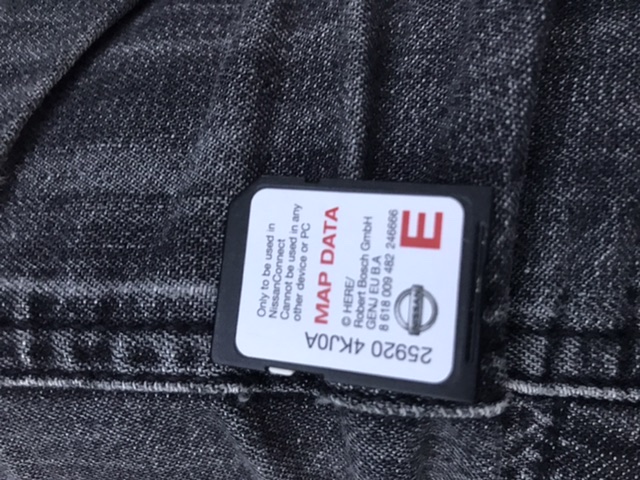
I have a Nissan tekna 1.2 dig-s and am trying to buy an update of my SD sat nav card according to the date of my car 2017 I should be buying connect 3 card but if I look at the picture of the system it should be connect 2 which is meant for 2013 to 2014 which one do you think I should buy
-
Thanks I got mixed up about which light comes on when first switched on then goes out it was the light on wing mirror that does this and the one on tachometer stays on to let me know BSW is switched on should read manual properly not bits of it
-
I have a 2017 tekna note just a query does the green light stay on permanently when you activate BSW and switch on The one on the tachometer
-
I have a note tekna 2017 can somebody tell me if the blind side warning is switched on does the green light show permantly on instrument panel in front of you
