


Leaderboard
-
Supersub
Members1Points13Posts -
Paul Dimelow
Members1Points3Posts -
Peeling paint
Members0Points1Posts


Popular Content
Showing content with the highest reputation on 12/04/2023 in all areas
-
Hi Hoping someone can help with problem I am having with my QX. Car starts but tickover not smooth. As soon as you touch accelerator pedal it dies. Eventually after numerous attempts it will rev up but will not rev past 2000rpm. just pops and bangs which obviously is not good. If you engage drive (4 speed auto with overdrive) it stalls. Need to hold revs at around 1300 -1400rpm to get it to pullaway but of course it does so with a jerk. Once on the go gearbox changes are often hesitent along with its reluctance to rev. Have serviced the car along with new plugs. Even changed transmission oil. No Engine management warning lights on dash. No warning lights of any kind. Car has covered just under 130,000 miles and never had any problems like this before. Has always started 1st time and run smooth as clockwork. Any ideas/suggestions as to cause and cure would be gratefully appreciated. Many thanks Mike
 1 point
 -
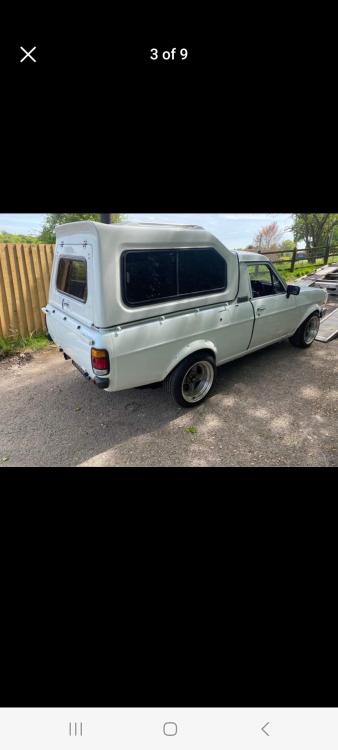
1 pointImportant from South Africa Log book and paper work for sale please call 07432601196. Paul for anymore information white pick up 2door. Good condition Nissan Sunny with a hard. Top

 1 point
 -
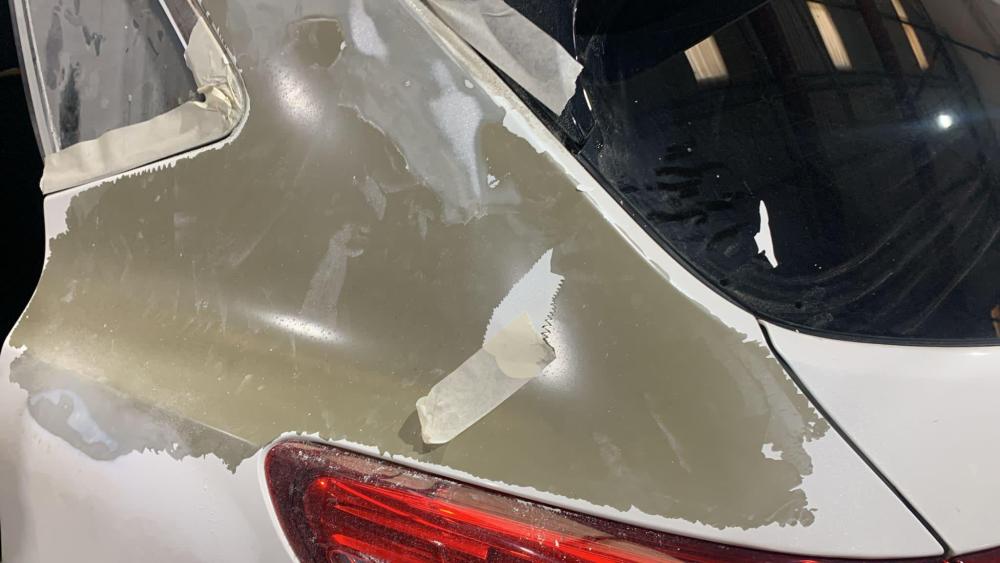
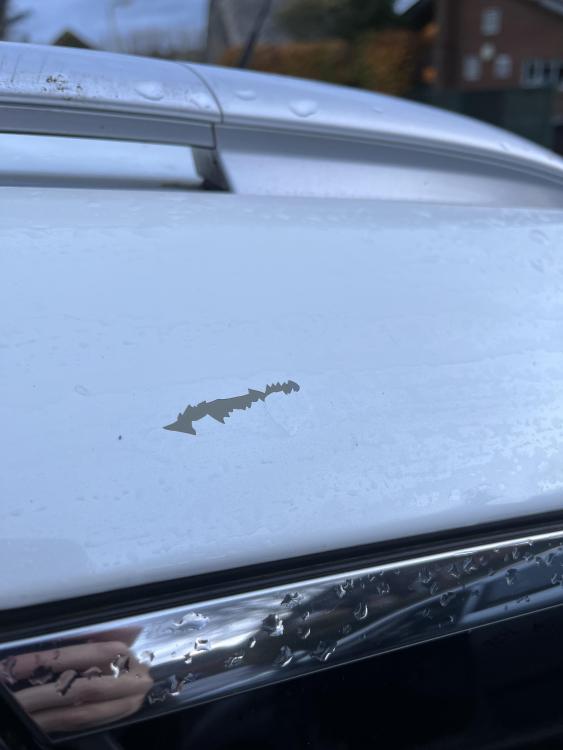
0 pointsHave the same issue with my quashqai 14 plate. Had a slight chip on back quarter panel so asked the body shop to repair. When they started to cut the paint back to find a good adhesion point they found that there was no primer on the shell. So the paint just keeps peeling off..

 0 points


